 LinkedFlow
 Use cases
The builder's eight templates are complete, proven recipes. Here is each one: what it's for, how it works inside and what to touch before activating it.
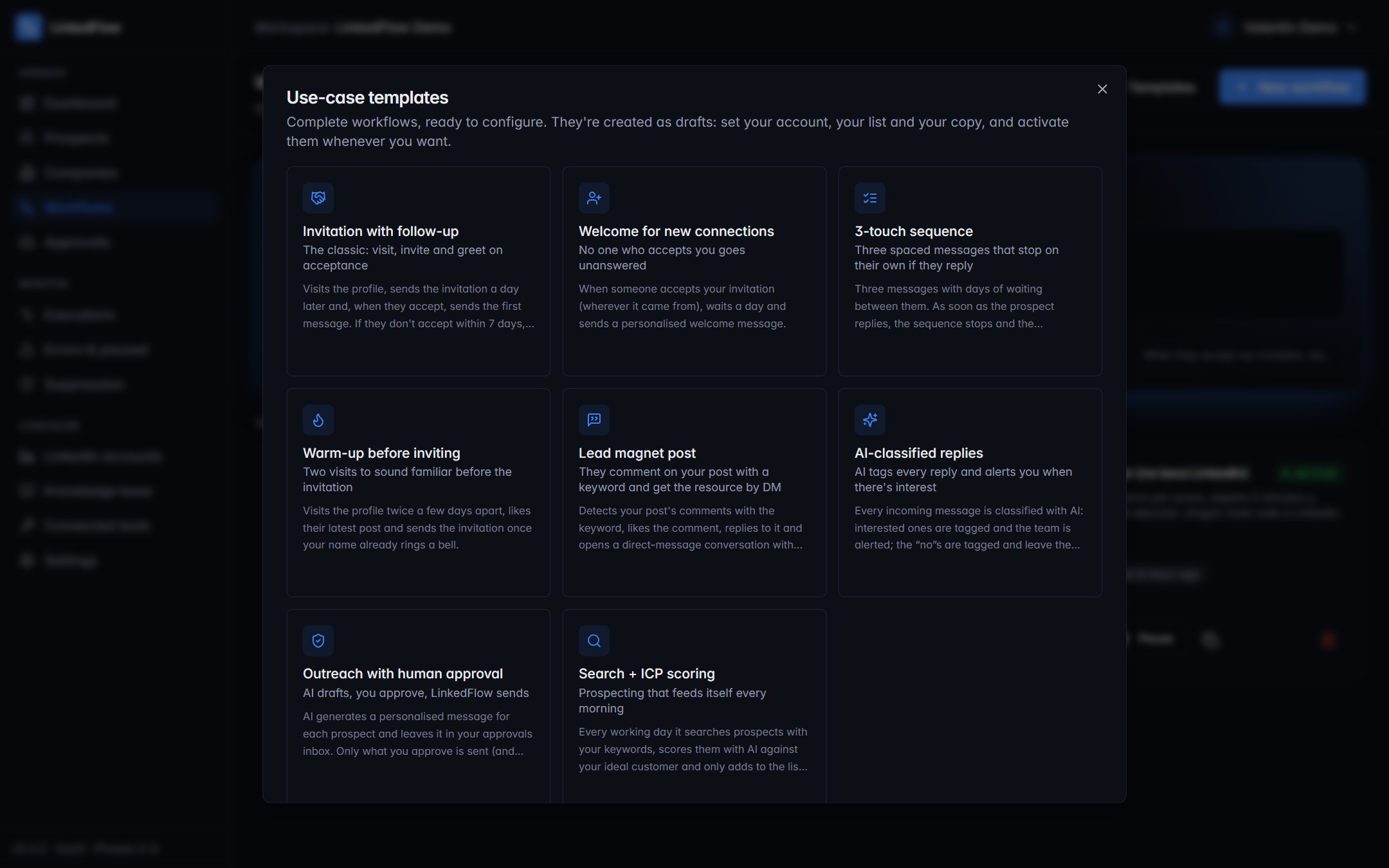
1 · Invitation with follow-up
The classic. If you only set up one workflow, make it this one.
It visits the profile, sends the invitation a day later and, when they accept, sends the first message. If they don't accept within 7 days, the prospect leaves the flow cleanly.
Before activating: personalise the invitation note and the first message with variables ({{prospect.first_name}}, {{prospect.company}}) and write 2–3 variants of each text so they rotate.
2 · Welcome for new connections
So the connections that arrive on their own don't die of neglect.
When someone accepts your invitation — wherever it came from — it waits a day and sends a personalised welcome message. Being an always-listening trigger, it also covers the invitations you sent by hand from LinkedIn.
3 · 3-touch sequence
Persistence with a handbrake.
Three messages with days of waiting between them. As soon as the prospect replies, the sequence stops (stop-on-reply) and the conversation goes to a human — or to the copilot, if you want help drafting.
Before activating: make each touch bring something new (a case, a fact, a different question). Three rounds of “did you see it?” isn't a sequence, it's spam.
4 · Warm-up before inviting
Make your name ring a bell before asking for anything.
It visits the profile twice a few days apart, likes their latest post and sends the invitation once you're no longer a stranger. It's the embodiment of the warm-up practice we recommend in Limits and safety.
5 · Lead magnet post
“Comment INFO and I'll send it over” — genuinely automated.
It detects your post's comments with the keyword, likes the comment, replies to it publicly and opens a direct-message conversation with the promised resource. Comments are checked every 5 minutes, and the “Check the post now” button works even in draft so you can test before publishing.
Before activating: paste your post's URL and define the keyword. Remember that replies to comments don't spend message quota.
6 · AI-classified replies
Automatic triage for your inbox.
Every incoming message is classified with AI (interested, question, not now, not interested…): the interested ones are tagged and the team is alerted immediately; the “no”s are tagged and leave the flow without anyone insisting.
7 · Outreach with human approval
The AI drafts, you sign off.
The AI generates a personalised message for each prospect — using their profile and your knowledge base — and leaves it in your approvals inbox. Only what you approve is sent, edited or not.
8 · Search + ICP scoring
The machine that fills the pipeline by itself.
Every working day it searches prospects with your keywords, scores them with AI against your ideal customer and adds to the list only those above the cut-off. Combined with template 1 listening to that list, you have end-to-end prospecting without touching a thing.
Combining them
The templates are designed to be chained through lists: number 8 fills a list → number 1 (triggered when a prospect enters the list) invites and follows up → number 6 classifies the replies → number 7 or the autopilot handle the conversation. Each piece is small and debuggable; the whole system is your automatic SDR.