 LinkedFlow
 Executions and errors
When a workflow runs, each prospect advances in their own execution. Everything is visible here: the whole picture, the live per-prospect detail, and an error inbox where nothing is left orphaned.
Executions
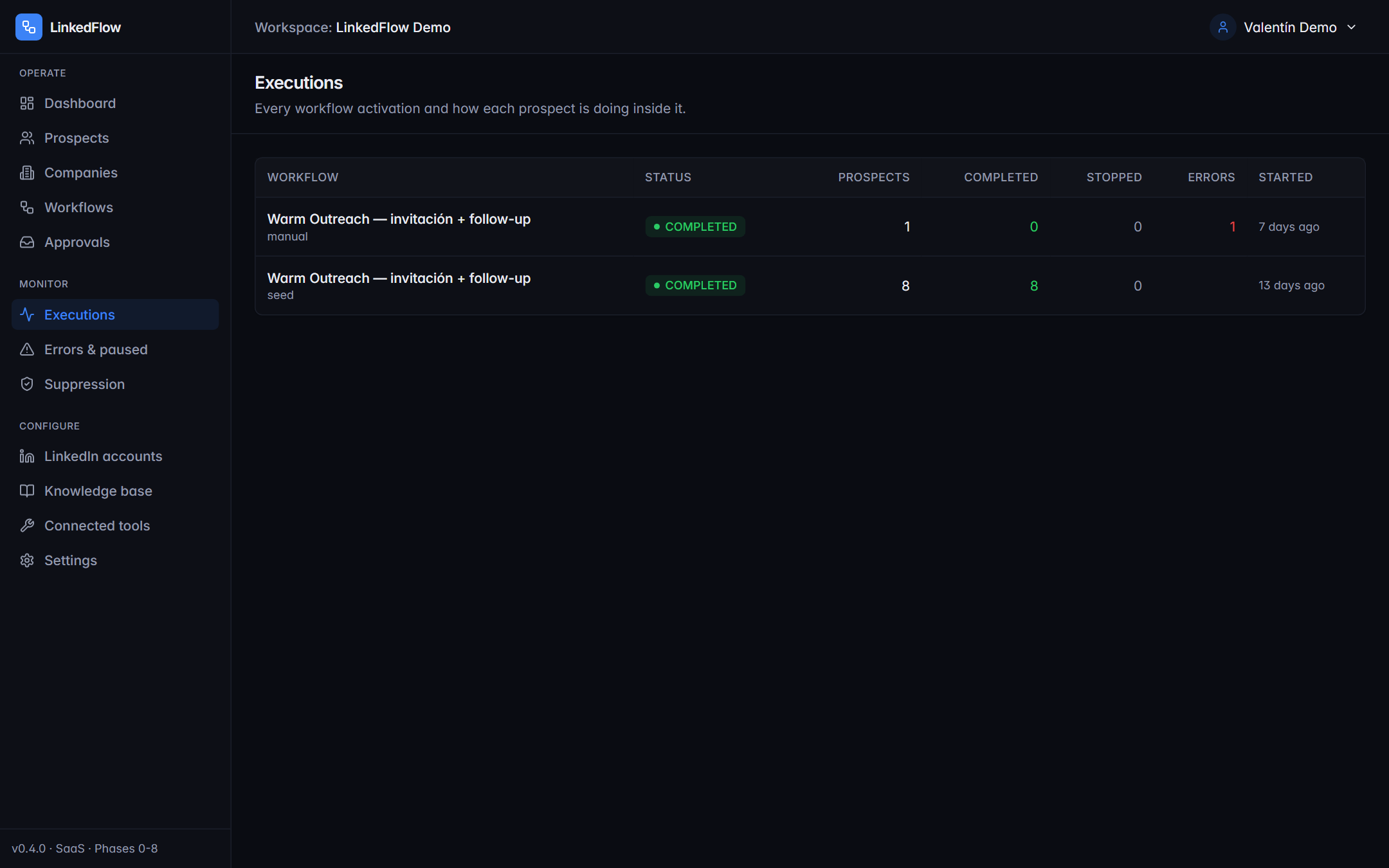
Each row is one launch of a workflow: how many prospects entered, how many completed, how many stopped and how many failed. Click to open the detail.
Execution detail
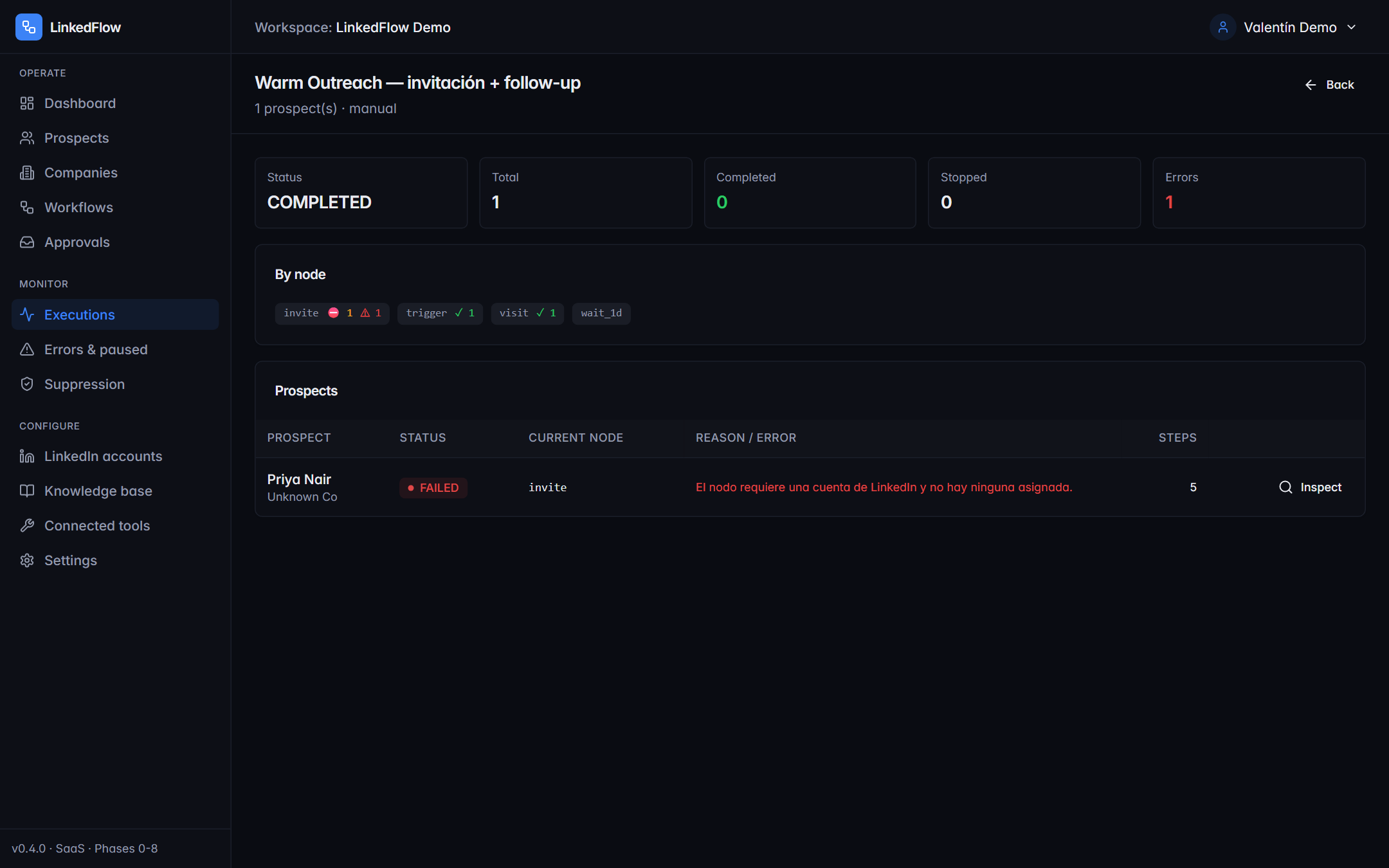
- KPIs: status, total, completed, stopped and errors.
- By node: where people get stuck or drop off — if half die at “Wait For Connection”, the problem is your invitation note, not your follow-up.
- Prospects: the full list; click any of them to see their individual journey.
- Cancel stops whatever is still pending in that execution.
The live inspector
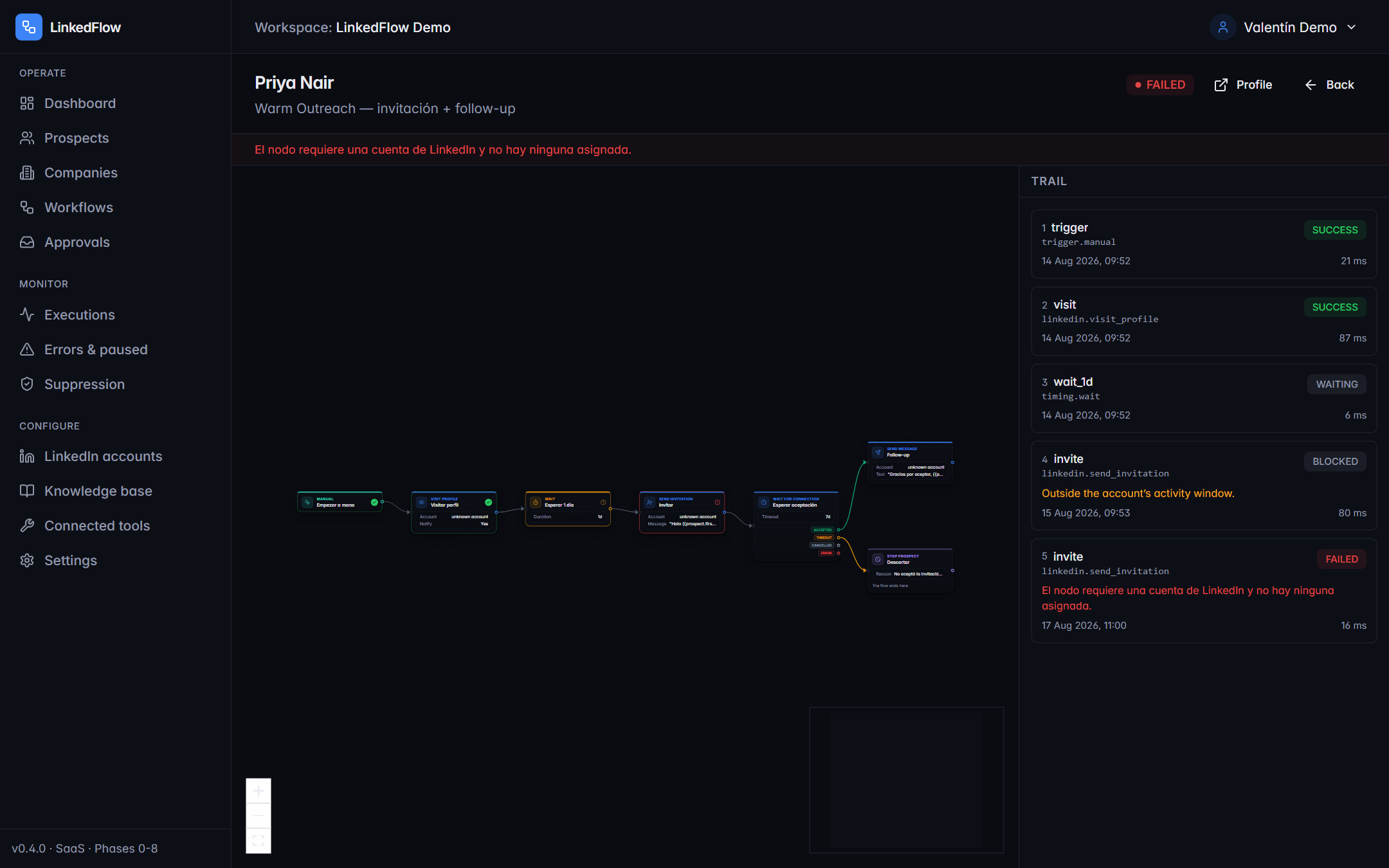
The inspector shows one prospect's journey: which node they passed, which one failed, what each branch decided and why the engine postponed an action (“daily limit reached”, “outside the window”). The “Live” chip indicates a real-time connection; if it drops, it switches to “Polling” on its own and keeps updating every few seconds.
Errors and paused items
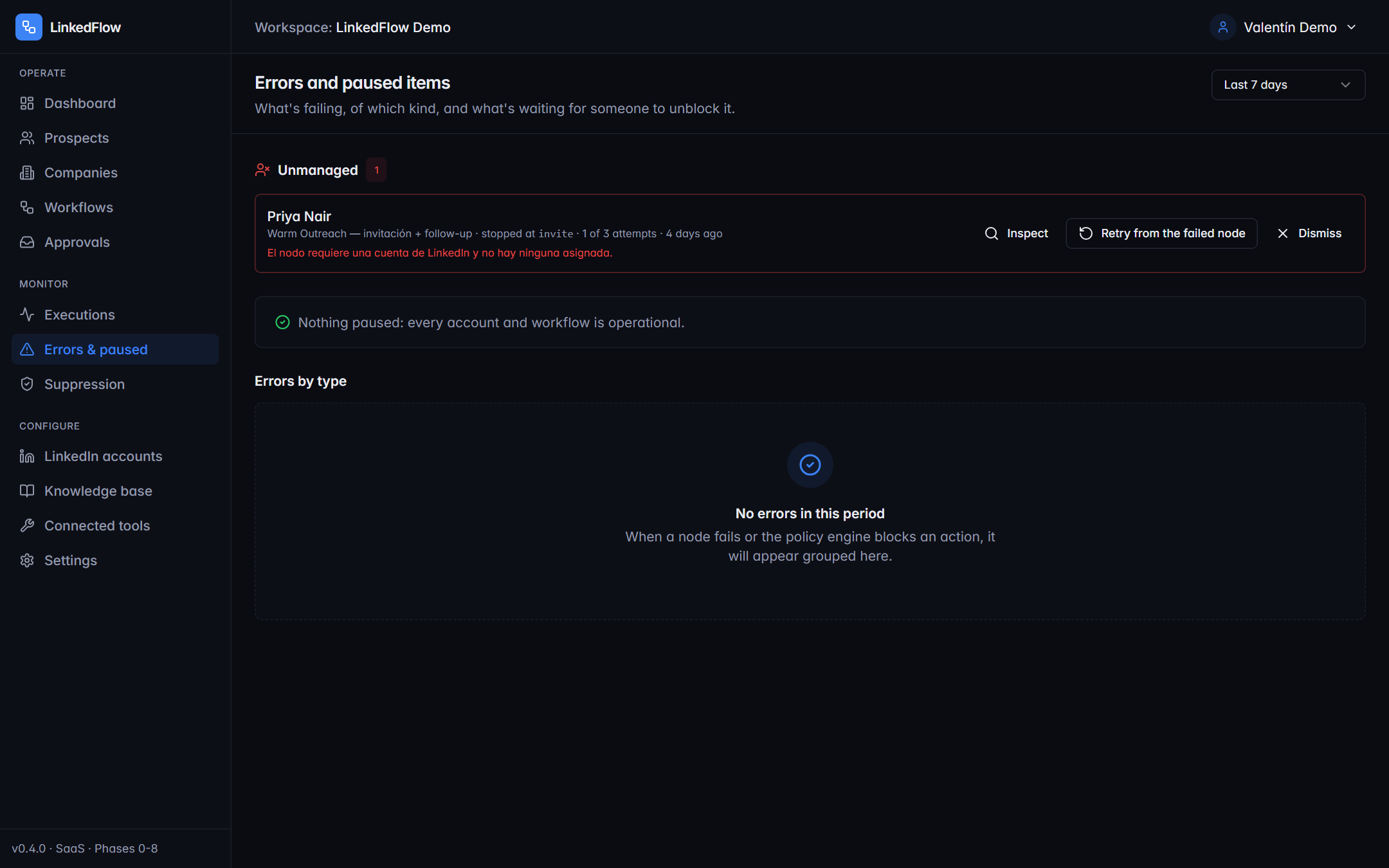
The house rule: a failure is never left orphaned. The screen organises them into four blocks:
| Block | What's inside |
|---|---|
| Errors by type | The summary: how many provider, configuration, network failures… |
| Unmanaged | Failures waiting for your decision: Retry from the failed node (without repeating what was already sent) or Dismiss deliberately. Everything leaves a trace. |
| Automatic retries queued | Transient errors the engine will retry on its own (up to 3 attempts with growing backoff). They need nothing from you. |
| Paused, waiting for a human | Executions stopped by an account pause or an escalation; the Resume button wakes them up once you've sorted it out. |
When unmanaged failures pile up or an account gets paused, the managers receive a grouped email per workspace (can be turned off in the workspace settings).
Don't see a reaction or reply that “should” have gone out? Remember the normal latencies: comments are polled every 5 minutes and the minimum pauses between actions add a few more. Before getting suspicious, open the prospect's inspector: the trail says exactly where things stand.