 LinkedFlow
 The visual builder
The builder is a canvas of nodes connected by wires: each node does one thing and each wire says what comes next. A prospect enters through the trigger and walks the path to the end.
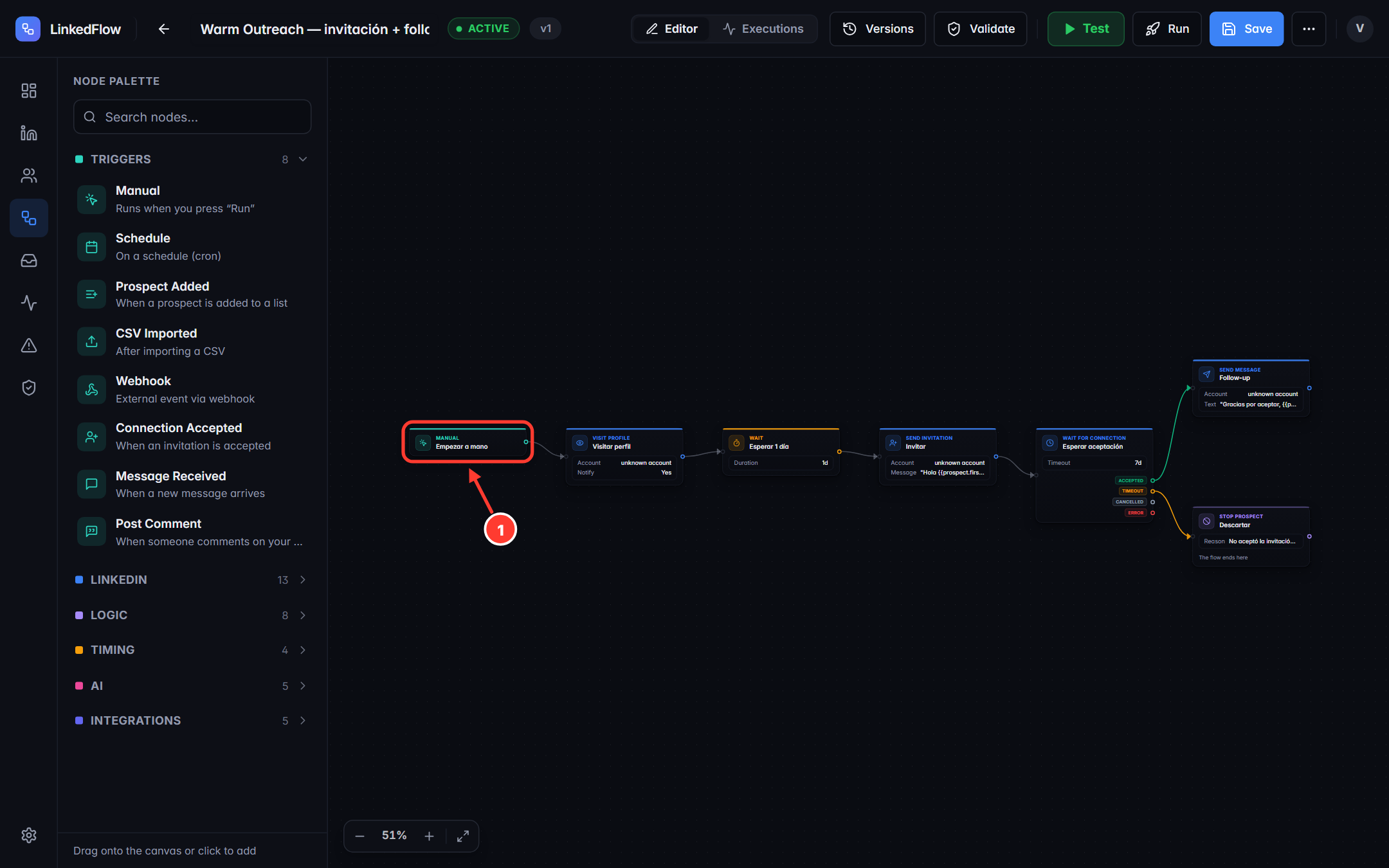
- The trigger: every workflow starts with exactly one trigger node (here, a manual start).
The pieces of the screen
- Top bar: editable name, state (draft/active/paused), the Editor and Executions tabs, and the actions Versions · Validate · Test · Run · Save, plus the “⋯” menu to activate or pause.
- Node palette (left): search for a node and drag it onto the canvas, or click to add it. They're grouped: triggers, LinkedIn, logic, timing, AI and integrations — each one is detailed in the node catalogue.
- The canvas: connect a node's output to the next node's input by dragging the wire. Double-clicking a wire deletes it; the Del key deletes the selection; the zoom control lives at the bottom left.
Configuring a node
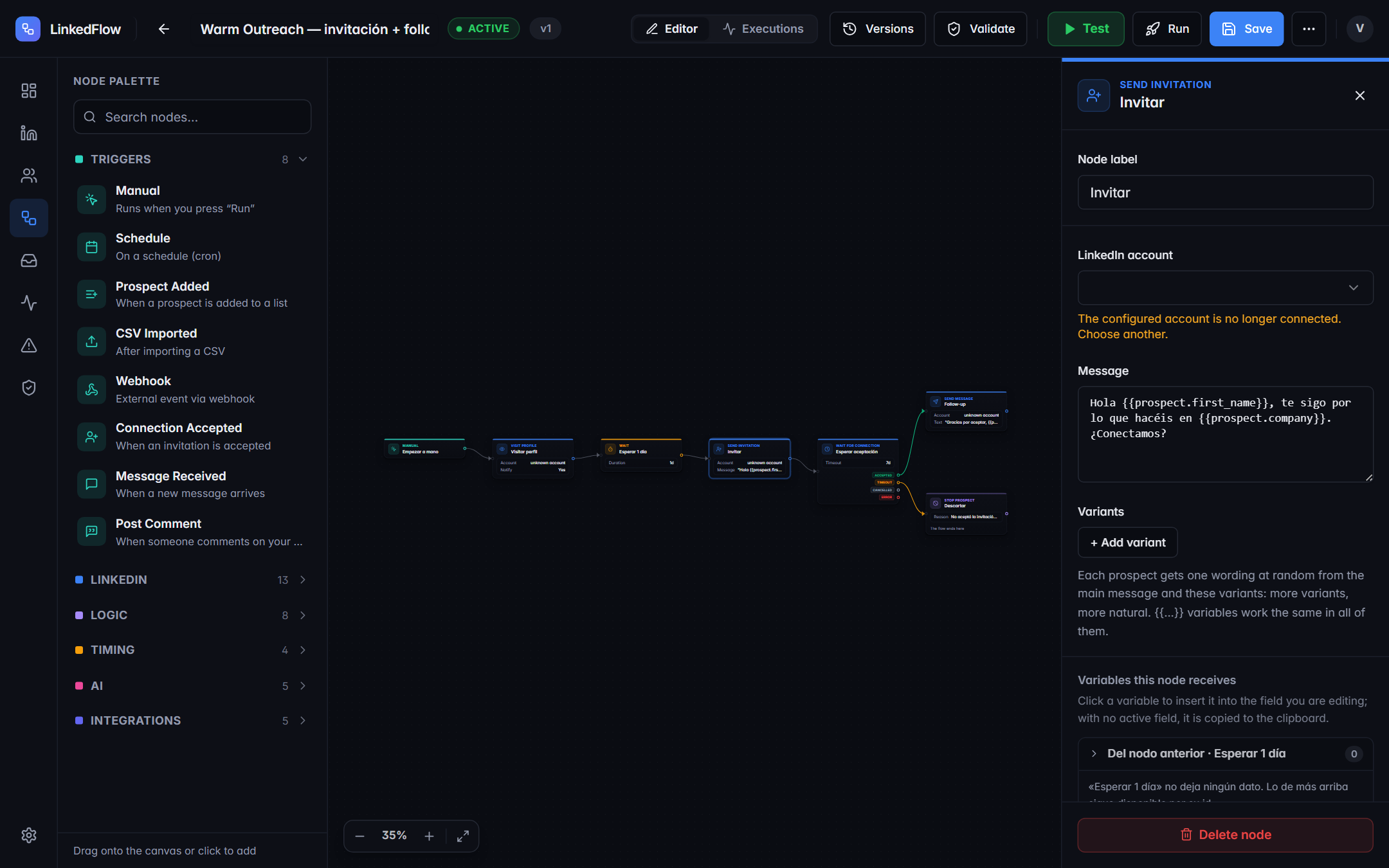
Each node asks for its own things: the account that runs it, the message text, the wait duration… Two cross-cutting tools:
- Variables: write
{{prospect.first_name}},{{prospect.company}}or{{previous.text}}and the engine substitutes each prospect's real data. The panel shows the variables available at that point of the journey. - Text variants: in messages and notes you can write several versions that rotate between prospects. The choice is stable: if an action is retried, that person receives exactly the same variant.
Validate
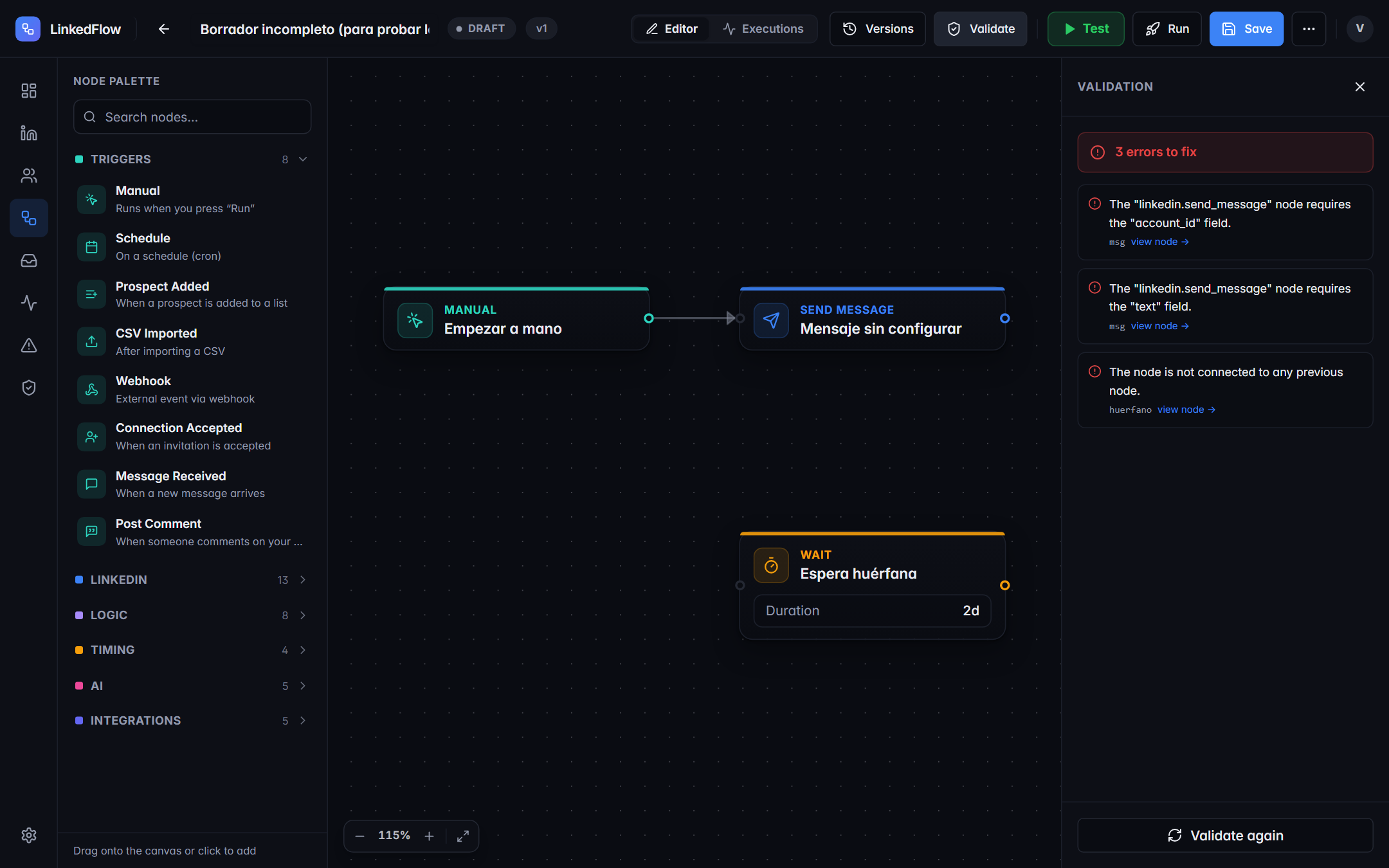
The Validate button goes over the whole workflow and lists each problem with its node: empty required fields, variables that don't exist, nodes with no incoming wire, more than one trigger, a schedule trigger without a search behind it… Validation is blocking: until it reaches zero, the workflow cannot be activated.
Parallel branches are not supported: from a single output only the first wire is followed. To do two things “at once”, chain them in series; for alternative paths use the IF/Switch nodes.
Test (dry run)
The green Test button runs the workflow dry: no node touches LinkedIn. The journey is narrated step by step in your language on the canvas itself, with bubbles anchored to each node; at branches it asks “what would happen?” and you choose the path to follow. It's the safe way to check copy, variables and paths before risking a single invitation.
Run
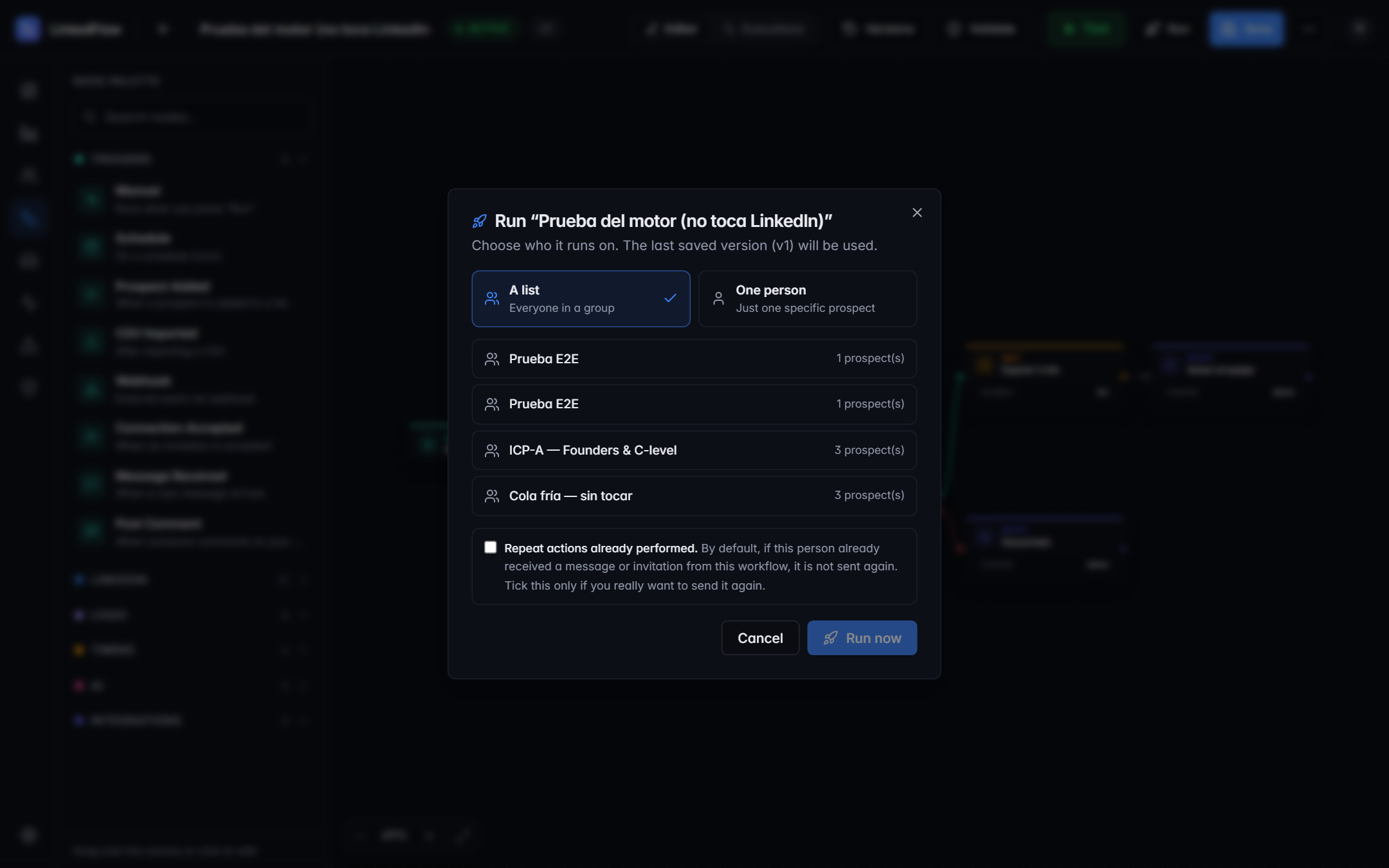
Run launches the workflow for real on the audience you choose (a list, a selection of prospects). It requires a saved version and the MANAGER role. From that moment, each prospect advances in their own independent execution — tracking lives in Executions.
The webhook trigger
If the workflow starts with “Webhook”, its panel shows a URL with a unique token: make a POST to that URL from your CRM or your favourite tool and the workflow starts for the given prospect. Two important things:
- The webhook does not create prospects: it looks up one that already exists in the CRM by its public identifier, LinkedIn URL or email.
- The token is the credential: treat it like a password. Only MANAGER roles or above can see it.